Sky Builder
Drag-and-drop page builder with 216 elements across 14 categories, responsive layouts and instant preview.
49 features across the website, the office and the classroom — replacing the separate products a school usually pays for. Turn on what you run; leave the rest off.
What did you come to look at?
Build and publish without touching code.
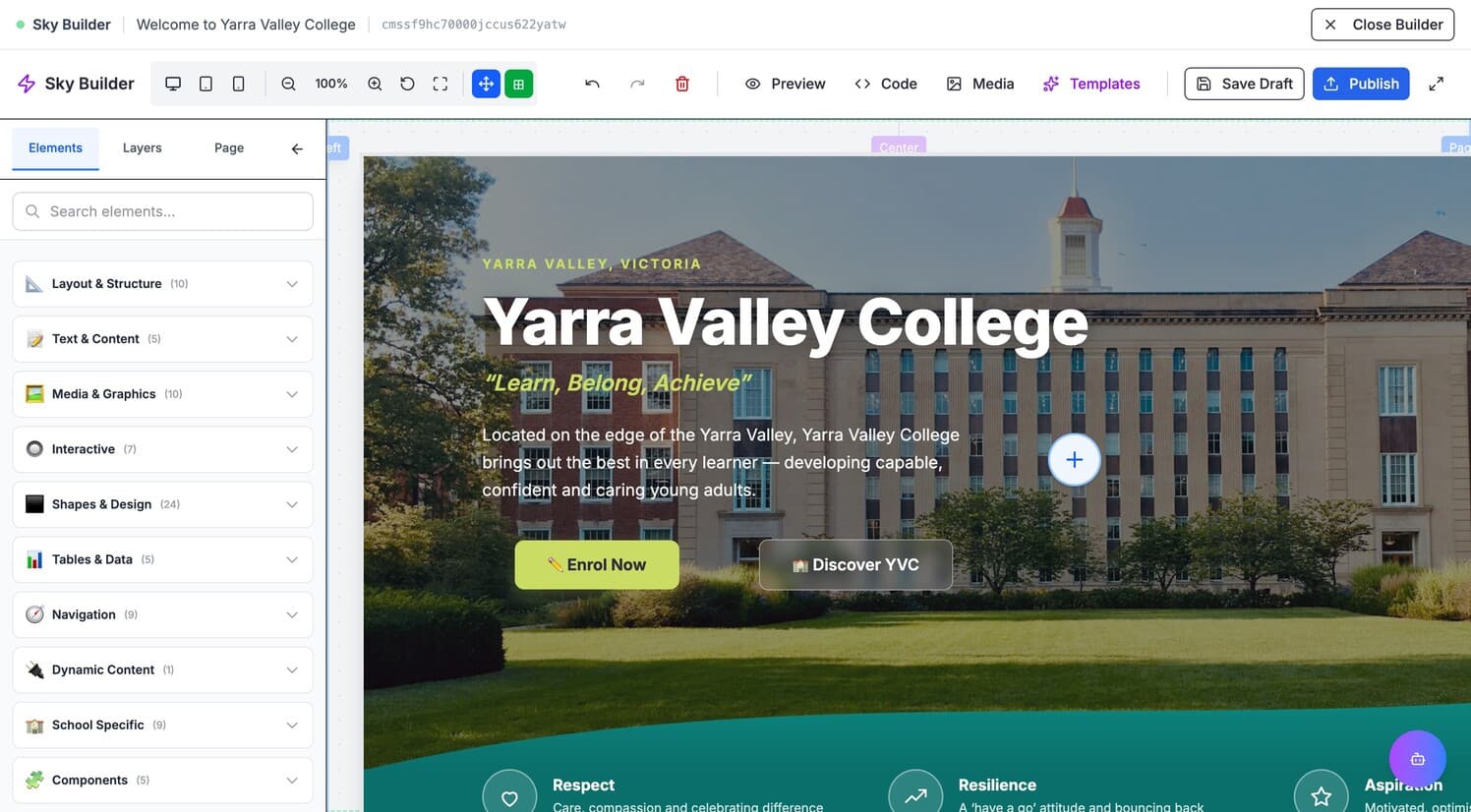
Drag-and-drop page builder with 216 elements across 14 categories, responsive layouts and instant preview.
Describe the page you want and it builds it — laid out, written and illustrated, in your school’s style rather than a generic one. It works in the editor alongside you, so you see it happen and nothing reaches the live site until you publish it.
Unlimited pages with a parent/child tree, reusable page templates and per-page visibility.
Rich text editor with media embeds, categories, scheduling and RSS.
Curate posts into digital magazine editions — the school newsletter as a readable publication.
Policies, handbooks and forms with role-based download permissions and read receipts.
Image, video and document storage with folders, search and per-folder permissions — and enough room that nobody is deleting last year’s carnival photos to make space for this year’s. Storage is cheap now, and a website that makes you ration it is running on hosting that has not caught up.
Generate images and short videos for posters, banners and social posts, in the shape you need them. Guide it with your own photos and crest, or paint over one part of a picture to change just that. Nothing joins your library until you approve it.
Photo galleries and image sliders, including background sliders on any section.
Professional themes with live colour customisation, font pairing and layout options.
Build and reorder site navigation, with mega-menus and per-role visibility.
Organise content with categories and tags across posts, documents and events.
Drop live content into any page — event lists, canteen menus, document lists, signup forms.
Your own domain or a free subdomain, with SSL provisioned automatically.
The school year, typed once.
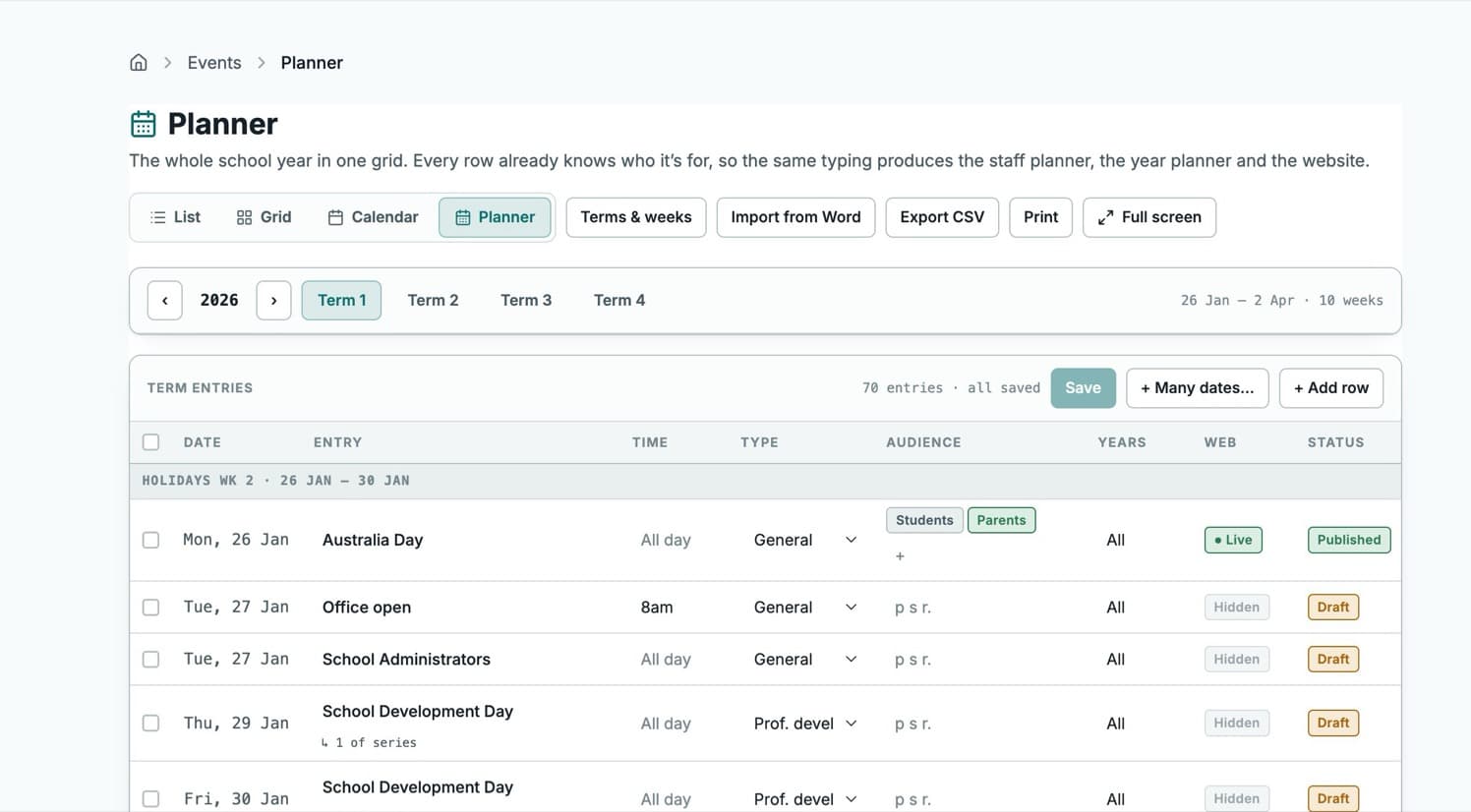
Public and private events, recurring series, venues and calendar sync.
The whole year in one grid. Each row carries its audience, so the staff planner, the printed year planner and the website all come from the same typing.
Import an existing planner from Word without duplicating the year, export CSV, print the term or the year.
Sell seats for presentation night or a production, email tickets with a lookup link, check in at the door.
Online orders and the counter, in one system.
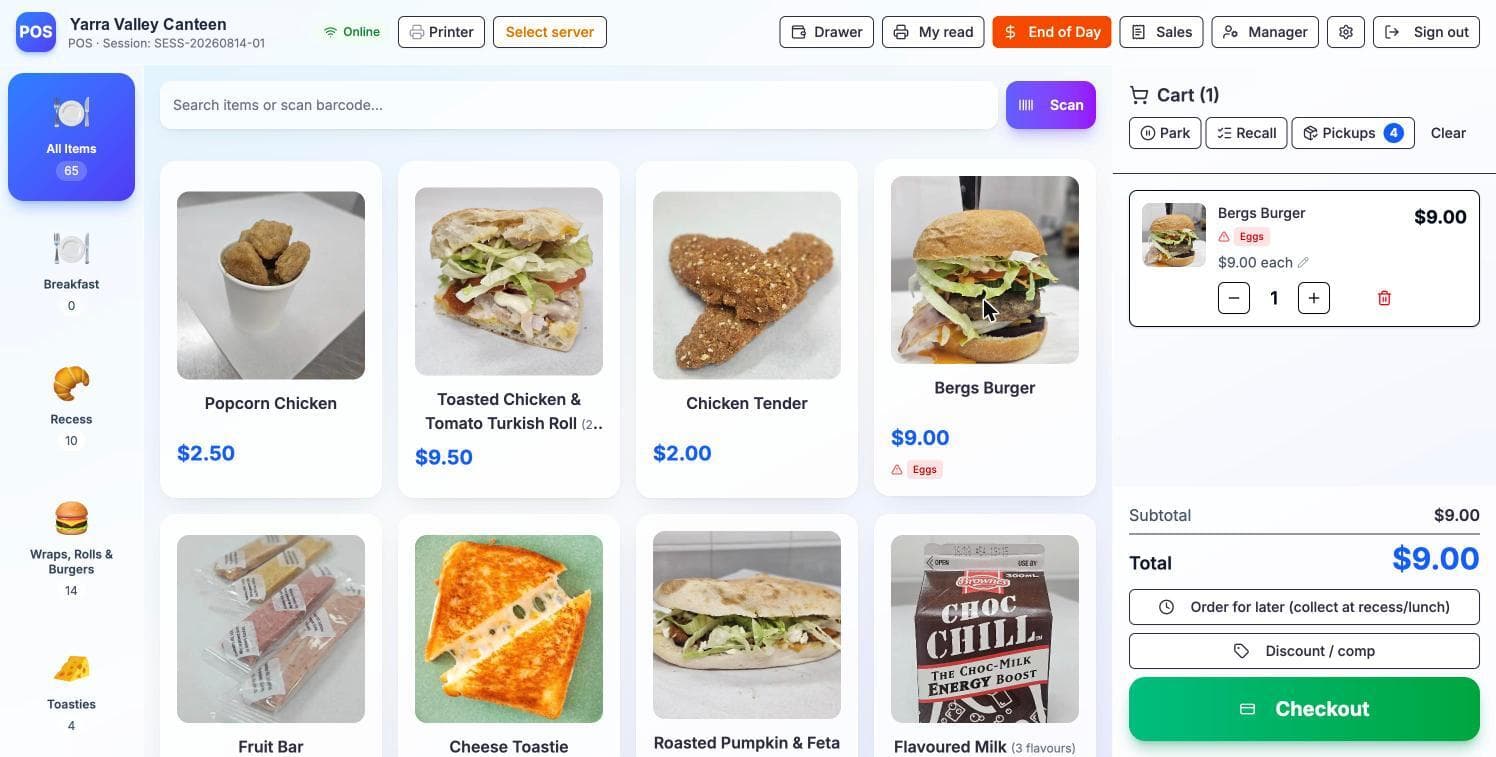
Digital menus with day-by-day availability, per-item photos and orders held for recess or lunch.
A full counter terminal — barcode scan, parked sales, cash drawer, receipt printing and end-of-day.
Allergen warnings surface on the sale itself. Items carry variants, combos and portion sizes.
Every sale is attributed to whoever rang it, whether that is staff, a parent volunteer or a student helper.
One login for families, not four.
Separate student, teacher, parent and staff portals, each showing only what that person needs.
Build consent forms, expressions of interest and surveys with file uploads, conditional fields and payment.
Build an edition from the news and events you have already published, and send it to your families from your school’s own address. Every edition stays in a public archive, opens are tracked, and unsubscribes are handled per list. A send to the whole school finishes, however long the list is.
Publish once and it goes everywhere. The same post reaches the school feed, Facebook, Instagram, X, LinkedIn and TikTok, or goes out as an SMS. Rules can do it automatically — every news article in a category, every event, every house achievement — and each post carries its own audience, so a staff-only notice stays staff-only.
Invite parents and guardians and link them to their children without manual account admin.
Not a FAQ box. It answers from your own pages, documents and news, and helps people get things done — a student asking about lunch gets Thursday’s menu and a link straight to the order page, and finishes it themselves. It can take an enrolment enquiry all the way onto the admissions board. What it will never do is place the order or take the payment on someone’s behalf, or send anyone to a page that is not yours. You choose which areas it may reach, add actions of your own, and set how it speaks — over a safety layer with crisis-support routing.
Support the work teachers actually do.
Draft student report comments from teacher input, with review and history before anything is used.
Grade analysis and reporting for teachers and heads of learning area.
Points, leaderboards and challenges with photo evidence. Rename it to match your school.
Departments and HOLAs, so staff, subjects and reporting line up with how the school is organised.
Meet families where they decide.
Families apply online and come back to a half-finished form, pay the application fee, and receive and accept an offer — no printing, no scanning.
Publish tour and interview sessions, let families pick a time, take walk-ins at the door and print name labels.
One link gives a family their own portal — where the application is up to, what is still needed, and somewhere to upload it. No account until they accept a place.
360° campus walkthroughs from your own photography, with seven hotspot types, floor plans and gyroscope on mobile.
Campus maps with clickable hotspots for buildings, entrances and facilities.
Website and engagement analytics — cookieless and first-party, so no consent banner is required.
Enterprise-grade control, school-friendly simplicity.
Eight built-in roles plus custom roles, with per-section and per-action permissions.
Password, passkey, or Google and Microsoft single sign-on — whichever your school already uses.
An emailed verification code on every password sign-in, enforceable school-wide.
A full trail of who changed what and when, for compliance and for answering questions later.
Conditions, allergies, medications and emergency contacts — encrypted at rest and off by default, so you enable it only with the consent to match.
Employment dates, qualifications and working hours; phone numbers and addresses. Both off by default.
Canteen, events and forms take payment through the school’s own Stripe account. Funds go straight to the school.
Every module is a switch. A school with no canteen never sees a canteen menu.
Helps staff write content, build pages and find things, with its own permissions and action log.
Raise and track support requests from inside the admin, with help and documentation alongside.
Or see all 49 on one page — a printable list, for the meeting where someone asks.
We will set up a working site with your colours, logo and a few real pages, and walk you through it.
Book a walkthrough